What you get
Each game is built on your PC from your ROM and opens in the RGen launcher, where you set options and press PLAY.
Smooth 60 fps
Games run at full speed. On displays below 50 Hz (e.g. some 4K TVs at 30 Hz), fullscreen switches to 1920×1080 at 60 Hz so motion stays smooth.
Fullscreen
F11 or Alt+Enter. Borderless fullscreen on normal desktops, exclusive fullscreen where needed. Window scaling keeps the original aspect ratio.
Save states
In all eight games: Esc menu save/load (slots 1–3), Shift+F1–F9 quick save and F1–F9 quick load, controller LB / RB quick save / load. If a save fails, the message says why. In-game saves and passwords work as on the console.
Game menu
Esc opens Reset game / Save game / Load game / Exit game. Hold Tab (or Back on a pad) to fast-forward.
Controller support
Xbox-style (XInput) pads work out of the box; other pads SDL2 knows also work. Full rebinding, optional Player 2, 3- or 6-button pad type.
.bin / .md / .gen / .smd
Raw, 512-byte headered, interleaved SMD and byte-swapped dumps are all accepted, and oversized dumps (mirrored or 00/FF-padded) are trimmed automatically. RGen identifies the ROM by its contents and CRC32, not the file extension.
How to use it
Five steps
- Unzip RGen-1.1.0.zip with “Extract All”, e.g. to C:\Games\RGen-1.1.0 (plain-English path, not a OneDrive folder).
- Run RGen.exe and type the number of the game.
- Pick your ROM in the Open-file window, or paste its path.
- Wait 1–5 minutes while RGen checks, translates, compiles and links it.
- Play — your game is in Games\<Game>\<Game>.exe.
What you need
- Windows 10 or 11, 64-bit (x64).
- About 300 MB free disk space.
- No admin rights, no installer, no antivirus exclusions.
- Keyboard or an XInput/SDL-compatible controller.
- Your own dump of a supported ROM version:
Herzog Zwei (USA/Europe) A605B65B
Sonic the Hedgehog (USA/Europe) REV00 F9394E97
Streets of Rage (World) Rev A 4052E845
Golden Axe (World) Rev A 665D7DF9
Sonic the Hedgehog 2 (World) Rev A 7B905383
Road Rash (USA, Europe) DEA53D19
OutRunners (USA) EDE636B9
Micro Machines (Europe) 50081A0B
Other versions are not supported yet: Herzog Zwei (Japan), Sonic Rev A (Japan/Europe/Korea), Streets of Rage Rev 0, Golden Axe Rev 0, the Sonic/Golden Axe re-releases, other Sonic 2 revisions and Micro Machines (USA). RGen recognises these and tells you by name. Japanese owners of Streets of Rage (Bare Knuckle) and Golden Axe have the same World cartridge, so Rev A works for them.
Built games and the build folder contain code translated from your ROM — keep them for yourself, don't share them.
Widescreen mod
Optional and off by default — switch it on in the launcher's MODS panel. It is drawn by RGen's renderer only: gameplay and save data never change.
16:9 battlefield
- Real extra battlefield in one-player gameplay.
- 2-player Split Display widened for each player.
- Past the map edge, the margins show the game's own divider rail.
- Wide title screen.
16:9 levels
- Levels with real foreground terrain and parallax background.
- Wide SEGA logo and title screens.
- Unrecognised screens fall back to normal 4:3.
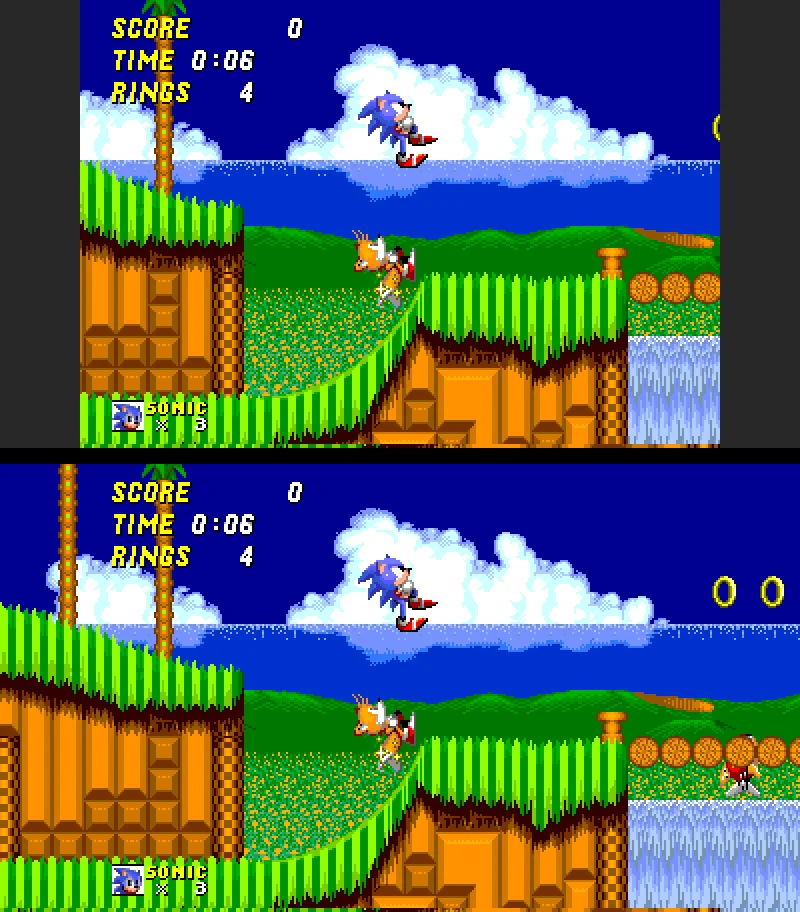
16:9 levels
- Level terrain from the game's own layout; rings and objects drawn in the margins by the game itself.
- Gameplay unchanged: the game logic still sees the original view.
- Idea credit: the Sonic 2 Community's Cut widescreen hack (no code used).
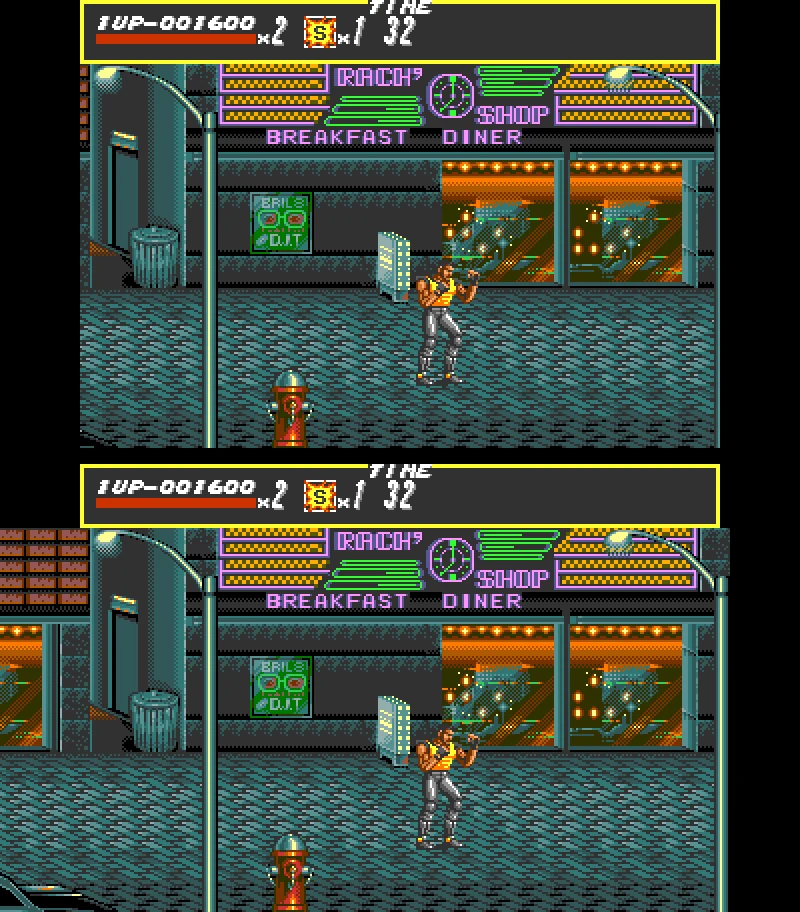
16:9 stages
- Margins show the game's own level art; enemies walking in are visible.
- Menus and character select stay 4:3.
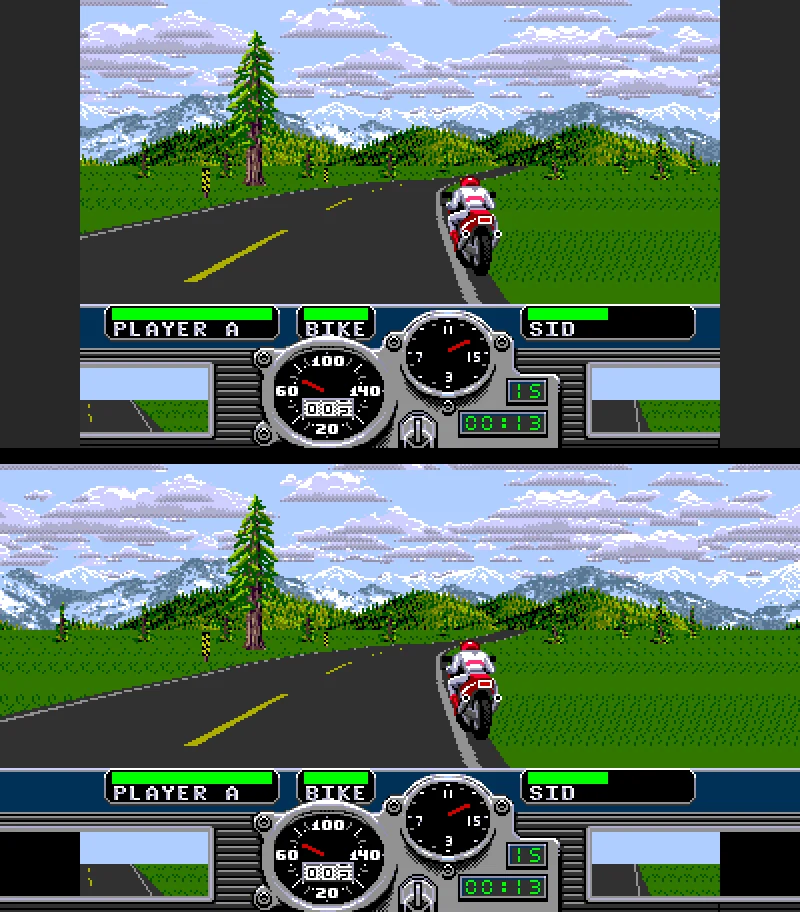
16:9 races
- Road, grass, scenery, riders and roadside objects continue into the margins.
- Dashboard housing continued beside the dashboard.
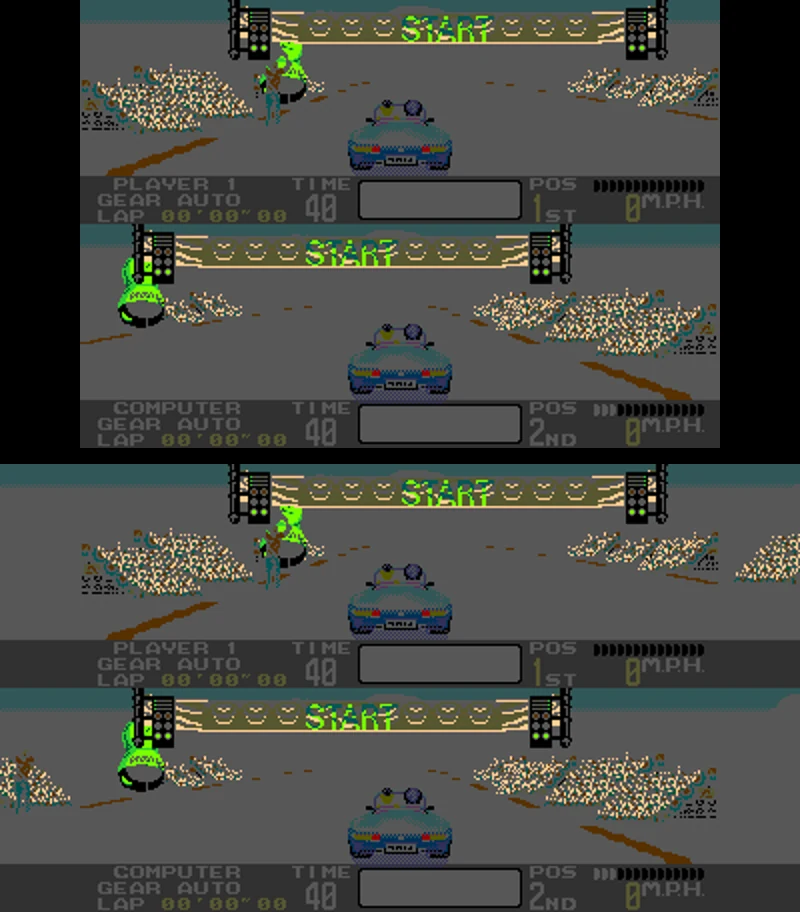
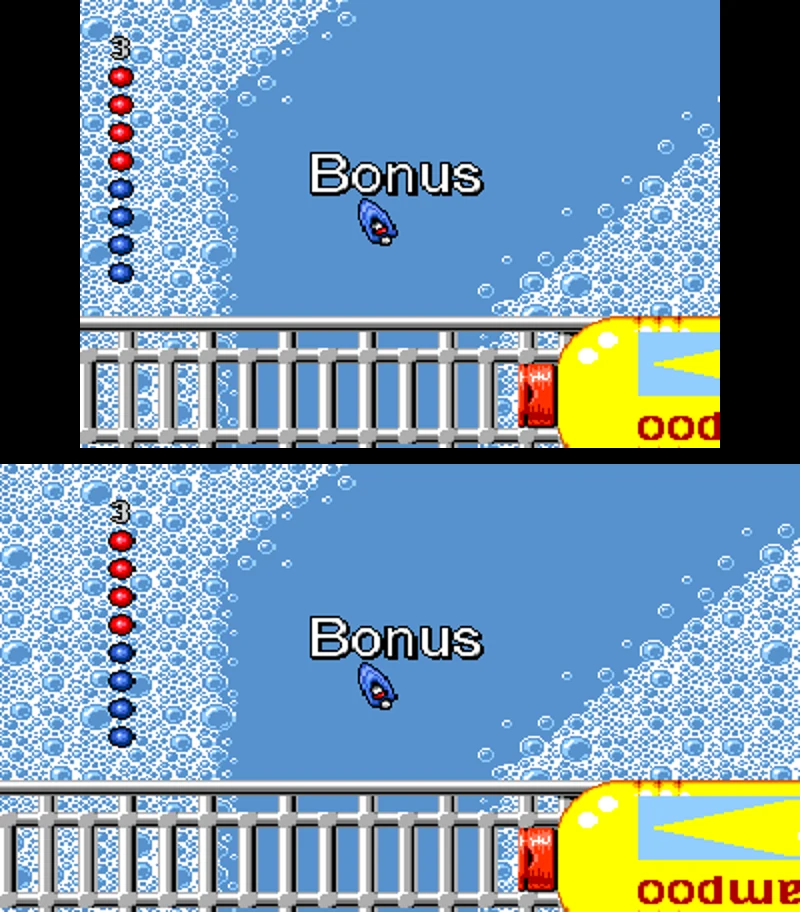
16:9 races
- OutRunners: full-width road and scenery, roadside objects in the margins.
- Micro Machines: real track around the camera; cars no longer cut off at the edge.
Honest note: objects (units, rings, enemies) can pop in at the screen edges, because the game only spawns them inside the original 320-pixel view. Menus, title screens of most games, special stages and 2-player modes stay 4:3. With widescreen off, every game shows the original 4:3 picture.
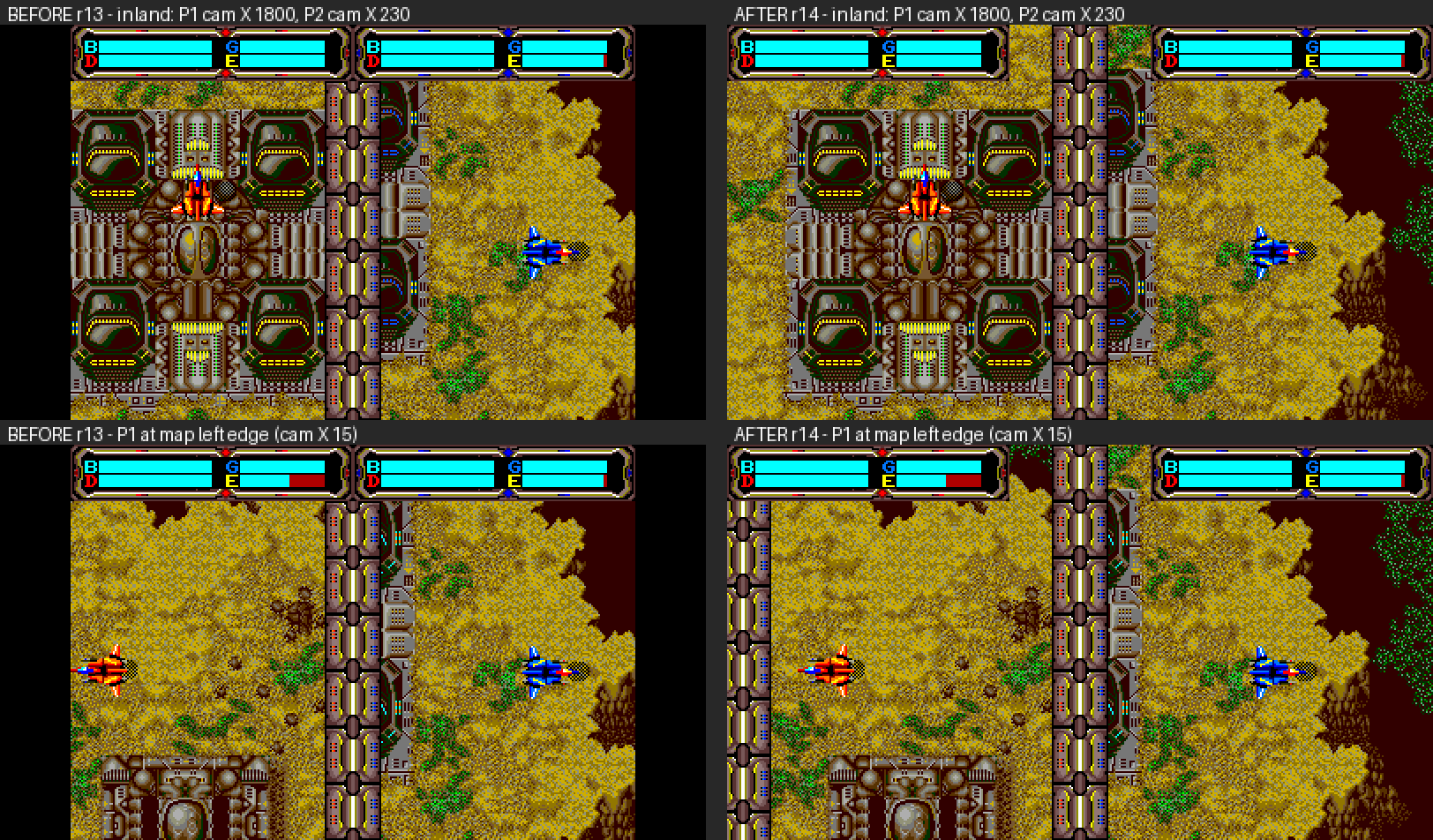
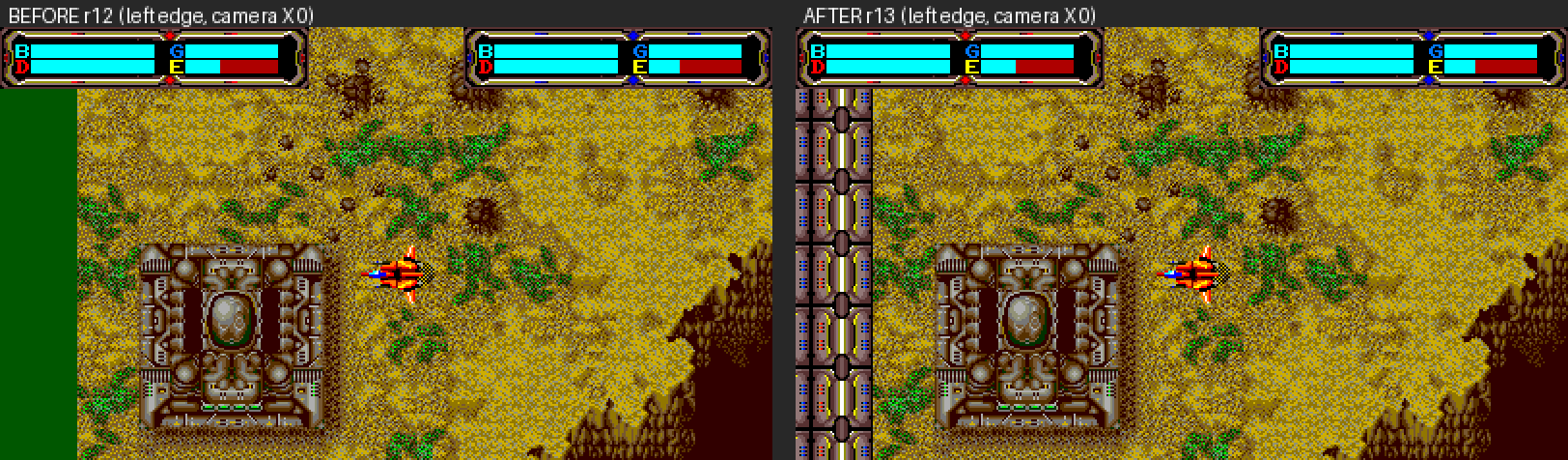
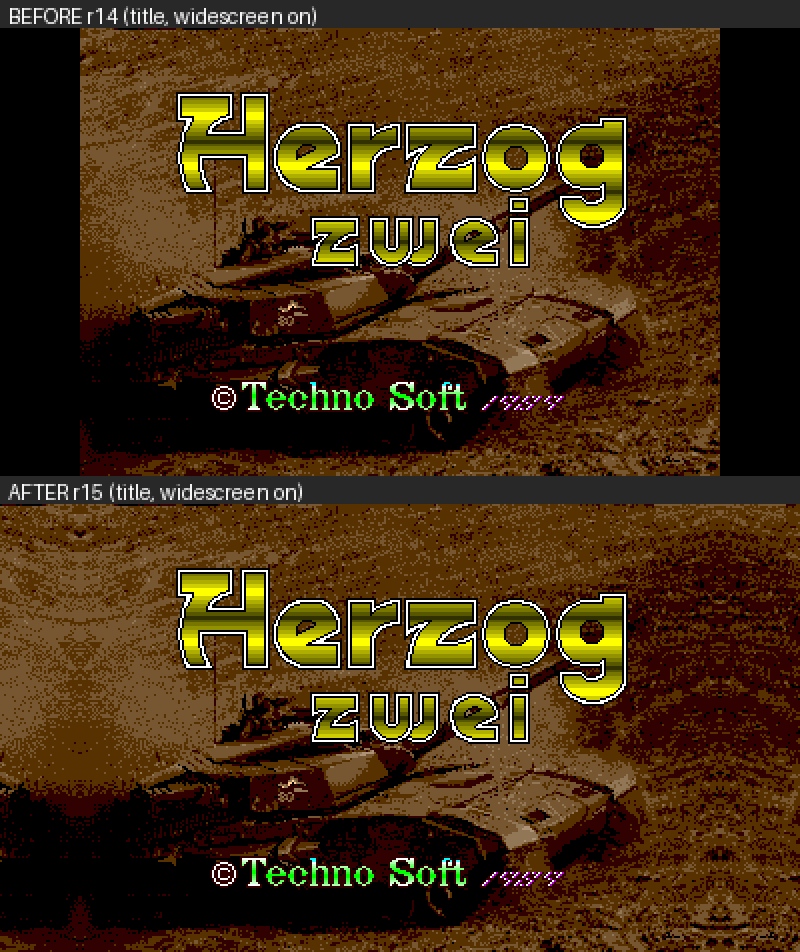
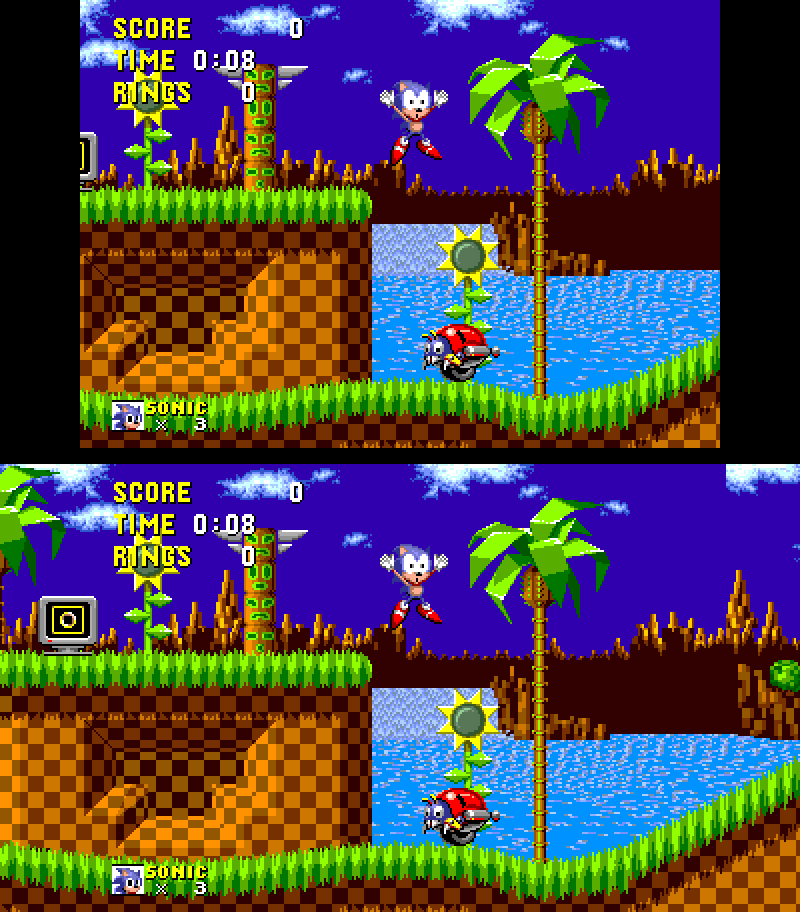
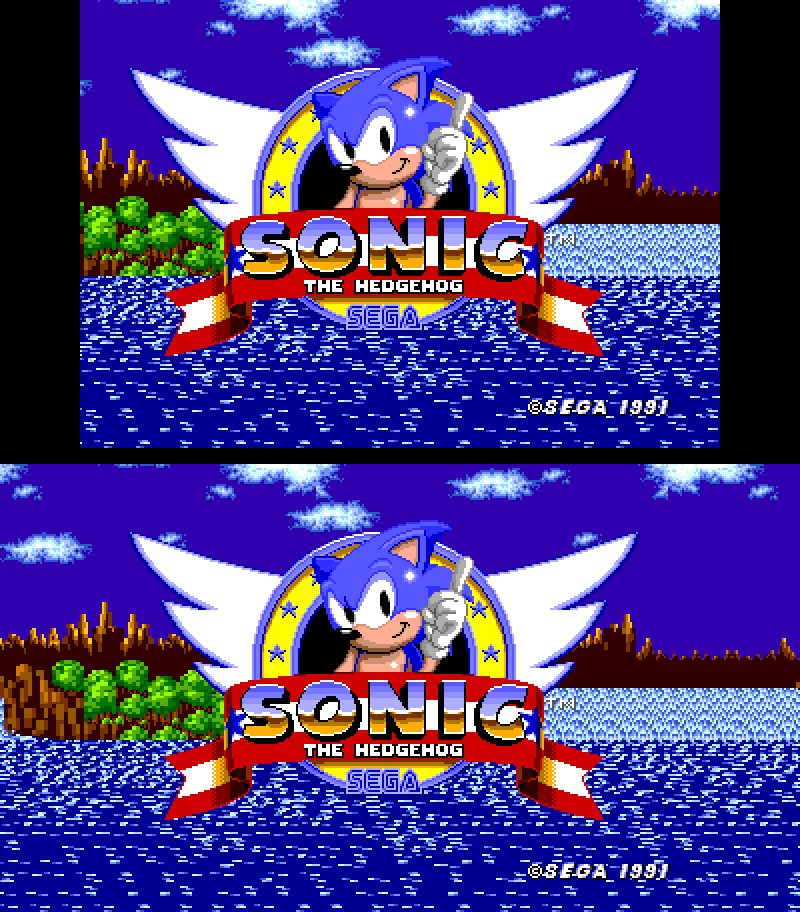
New in 1.1.0 — 4:3 (top) vs 16:9 widescreen (bottom)
Download
RGen 1.1.0 contains no games and no ROMs. Verify downloads with SHA-256 (PowerShell: Get-FileHash .\RGen-1.1.0.zip -Algorithm SHA256).
RGen-1.1.0.zip
The portable builder: RGen.exe, recompiler, runtime and bundled compiler. Unzip and run.
Download RGen 1.1.0SHA-256 48c9e6259d05e0e1ef1fa89cd55915645c4f87e029acbd480e1c0be49b8ed817
RGen-1.0.0-compiler-sources.zip
GPL source for the bundled compiler (GCC, Binutils and related GPL/LGPL parts). Not needed to use RGen. The same compiler is used in 1.1.0.
Download compiler sourcesSHA-256 77a8b6627d8cc416b8daeccbb9b059e0f6afe9a3ca29e984ece8b7736c9e3b97
Coming in the future
Plans, not promises — no dates.
More games
Additional Genesis titles beyond the current eight.
More widescreen
Widescreen support for more games and screens.
3D support
Exploring 3D presentation for supported games.
Game editor
A tool for editing and modding supported games.
Support R-Gen development
RGen is free for noncommercial use. If you enjoy it, a donation helps keep development going.
PayPal
Send via PayPal to jasonmmeehan@gmail.com
Questions
Is RGen an emulator?
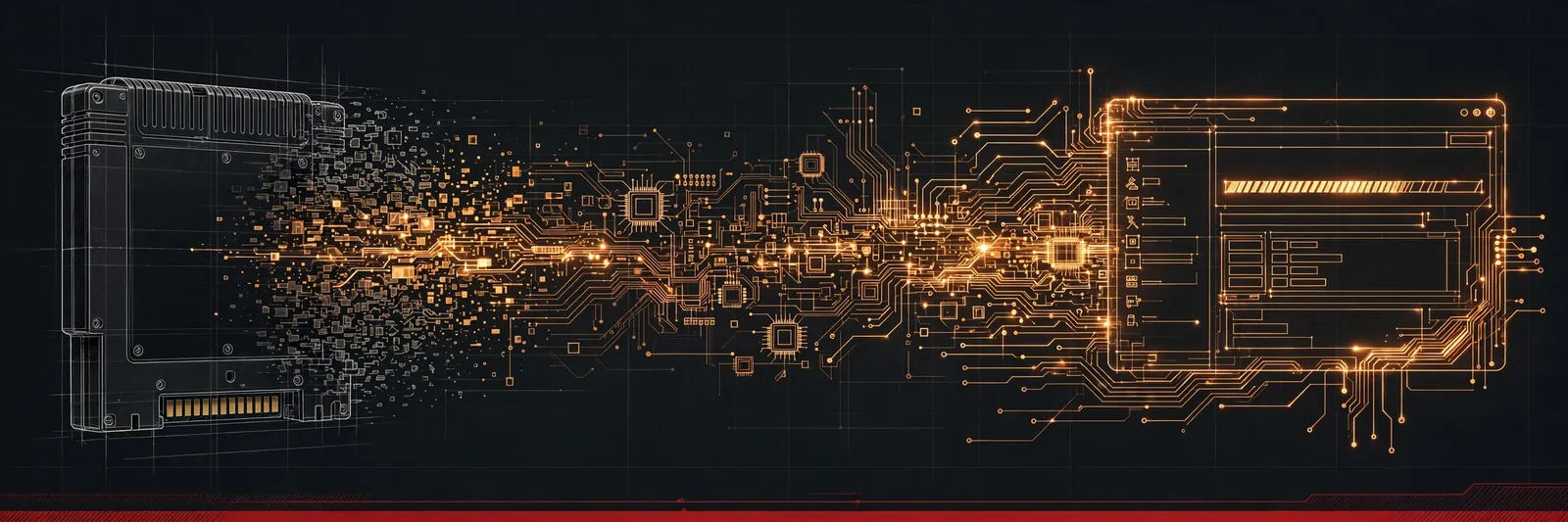
No. RGen translates the game's 68000 code into a native Windows program on your PC and links it with the RGen runtime, which models the Genesis video and sound hardware.
Windows says “Windows protected your PC”.
RGen and the games you build are not code-signed. Click “More info”, then “Run anyway” — only for a copy you got from a trusted source and verified with its SHA-256.
My ROM was rejected.
RGen supports one exact ROM version per game (see Requirements). If you have a different region or revision, RGen names it and tells you which version it needs; otherwise the message shows your file's CRC32 and the one needed. Hacks, translations and damaged dumps are refused. Zipped ROMs must be unzipped first.
Why don't my old save states load after a rebuild?
A save state holds the whole machine and is tied to the exact .exe that wrote it. Rebuilding makes old states unusable; your settings and in-game saves are kept.
What's new in 1.1.0?
Four new games — Sonic the Hedgehog 2, Road Rash, OutRunners and Micro Machines — each with an optional 16:9 widescreen mode (off by default). Save states now work in every game, and save/load errors explain what went wrong. Rebuild your games with 1.1.0 to get the update; settings and in-game saves are kept.
Who makes RGen?
Jason Meehan — who also wrote the VGen emulator back in 1998. RGen is the sibling project: same love of the Genesis, opposite technique, twenty-eight years later.